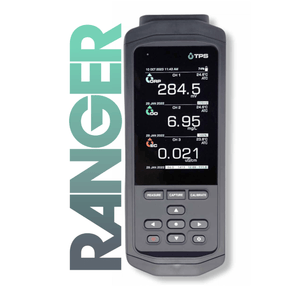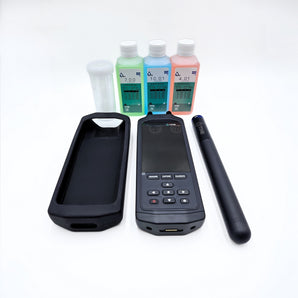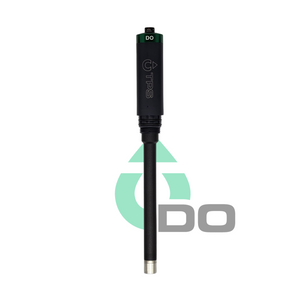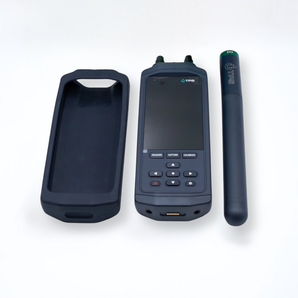

A pH sensor is only as good as its last calibration. Buffers age, electrodes drift, and a sensor that was spot on last month can be well off today. This guide runs through calibrating your Ranger pH sensor, from picking the right buffers to applying the final result. There's a short video below too, if you'd rather watch than read.
Jump to VideoWhy Calibrate Your pH Sensor?
A pH electrode measures the electrical potential difference generated by hydrogen ion activity in a liquid solution, and its response drifts over time. Reference junctions age and glass membranes foul, so readings gradually drift away from true. Calibration resets the sensor against known buffer values, so what you're reading in the field actually reflects what's in the water.
Choosing Your Calibration Buffer Solutions
Start with a neutral primary buffer, either 7.00 pH or 6.86 pH, from the NIST or NIST10 set.
Then choose a secondary buffer from the same set. To choose the secondary buffer, first figure out if your intended sample is acidic or basic - then choose a buffer on the same side of the scale (e.g. pH 4.00 for acidic or pH 10.00 for basic).
If your sample could fall on either side of pH 7, you'll want to perform a 3-point calibration.
If you don't know if your sample will be acidic or basic, you'll need to do a 3-point calibration.
For a 3-point calibration, add a third buffer from the same set, on the opposite side of the scale to your secondary buffer. Stick to one buffer set throughout the calibration - don't mix USA, NIST and NIST10 buffers in the same run.
- Use a separate sample jar for each buffer. Dipping the sensor straight into your buffer storage bottle can contaminate the whole bottle.
- Check buffer expiry dates before calibrating. An expired buffer can mess with your calibration results.
Watch the Full Walkthrough
If you'd rather see it done than read it, this video walks through the entire calibration process on a Ranger pH sensor, start to finish.
Step-by-Step: Ranger pH Calibration
Before You Begin
- Remove the wetting cap.
- Connect the Ranger pH sensor to the Ranger meter and power on the meter.
- Press CALIBRATE to enter calibration mode.
- Use the navigation keys to highlight the pH sensor and press SELECT.
- Highlight BEGIN CAL and press SELECT to begin.
- Verify that the displayed buffer set matches your chosen buffer solutions.
First Calibration Point
- Rinse the sensor tip thoroughly with deionised water and gently shake off the excess.
- Dispense approximately 2 cm of the primary buffer into a clean sample jar.
- Immerse the sensor tip in the sample jar, stirring gently while keeping the tip submerged.
- Wait for the stability indicator LED to turn solid green.
- Select CAPTURE FIRST POINT.
Second Calibration Point
- Remove the sensor and rinse the tip with deionised water.
- Dispense approximately 2 cm of the secondary buffer into a clean sample jar.
- Immerse the tip, stir gently, and wait for the reading to stabilise.
- Select CAPTURE SECOND POINT.
Third Calibration Point (3-Point Calibration Only)
- Choose a third buffer, opposite in pH to your secondary buffer. Dispense 2 cm into a clean sample jar, rinse the tip with deionised water, immerse, and wait for stabilisation.
Finishing Up
- Once all points are captured, select APPLY CALIBRATION.
- Rinse the sensor with deionised water and store it appropriately.
To cancel a calibration at any point, toggle to CANCEL and press SELECT.
A properly calibrated pH sensor is a great thing to aim for in any pH measuring application. Incorporating regular calibrations into your routine will ensure your Ranger measurements stay accurate.
Shop Ranger pH SensorsRead more articles
Browse our latest news and articles below.

What are pH, EC, DO, ORP, and NTU? Key Water Quality Parameters Explained
Two beakers of water can look like twins and be nothing alike. pH, EC, DO, ORP and NTU are the...
Why is my pH Sensor Cloudy? What it Means and How to Fix it
Cloudy pH sensor? It's usually crystallised electrolyte or fouling on the glass - and neither one means with certainty that...
How do I Calibrate my Ranger pH Sensor?
Need a hand figuring out how to calibrate your Ranger pH sensor? Good news - it's a simple and quick...
Get All The Updates
Subscribe to our newsletter to receive monthly updates on all things TPS and the water industry.